
In Scoutbook Plus, the messages are what you see is what you get.
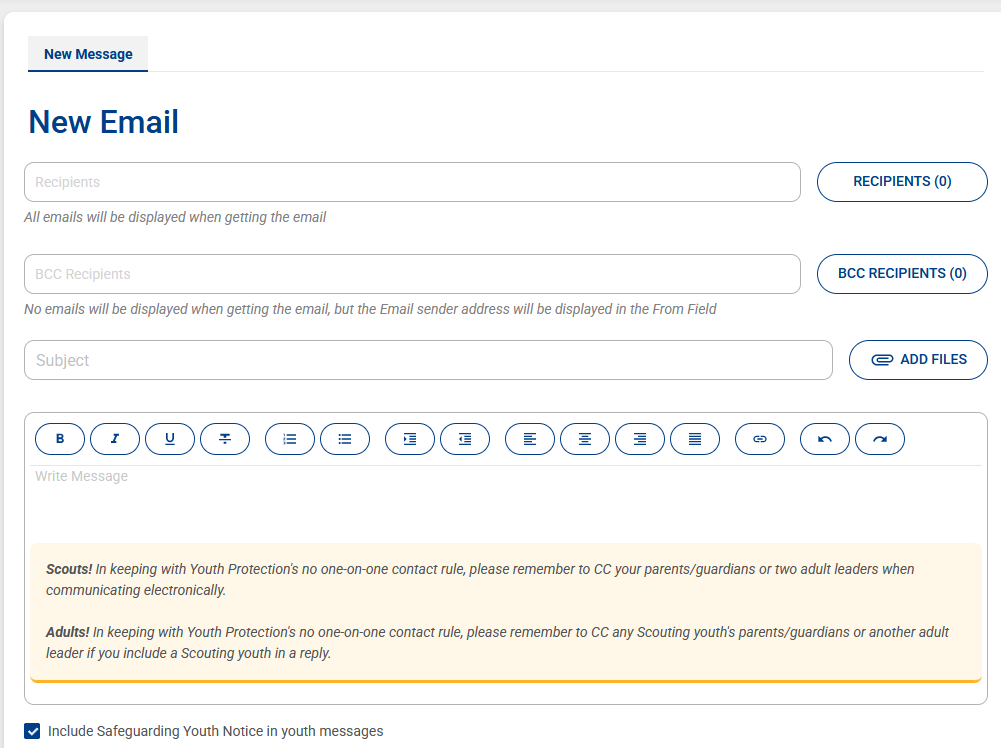
Using HTML Formating
Scoutbook Plus does not support advanced HTML, but it supports enough formatting (bold, underline, italics, links, strikethrough, and simple structure) to create much more readable emails than plain text if you keep the HTML simple and compact. The biggest benefit was improving readability for parents who skim emails on their phones.
What Works:
Text Formatting
 Bold (
<strong>)
Underline (<u>)
Italics (<em> / <i>)
Combinations of the above
Examples:
<strong>Bold Text</strong>
<u>Underlined Text</u>
<em>Italic Text</em>
Section Header
Hyperlinks
Both raw URLs and custom hyperlink text worked.
<a href=“https://my.scouting.org”>my.Scouting</a>
Strikethrough
Supported.
Example:
<s>Canceled Event</s>
Separator Lines
Very useful for creating visual structure.
Example:
==================================================
What Does Not Work: Font colors
Font sizes
Tables
Text alignment (center, right align, etc.) (via HTML; however the in-application tools work)
Callout boxes
Most advanced HTML styling
What Technically Works But Has Issues
Bullets and Lists
Lists render, but often create excessive spacing between items.
Example:
<ul>
<li>Item 1</li>
<li>Item 2</li>
</ul>
Best Practices
1. Keep HTML Simple
The more advanced the formatting attempt, the less reliable the results.
2. Use Headers + Separators
This provided the best readability for parents viewing emails on phones.
3. Use Inline Metadata
Instead of multiple lines:
<strong>Time:</strong> 6:00 PM | <strong>Location:</strong> Scout House
4. Minimize Blank Lines
Scoutbook Plus tends to add excessive spacing on its own. Keeping the HTML compact generally produced cleaner results.
Alignment is supported through paragraph tags:
<p style=“text-align:center;”>Centered Text</p>
<p style=“text-align:right;”>Right Aligned Text</p>
<p style=“text-align:left;”>Left Aligned Text</p>
<p style=“text-align:justify;”>Justified Text</p>
All four tested successfully when pasted directly into Scoutbook Plus.