
Once merit badge counselors are registered, they can be assigned merit badges via Registrar Tools or Scoutbook Plus.
NOTE: Currently, you can only manage merit badge counselors who already have badges assigned to them with Scoutbook Plus. If they are a new merit badge counselor the Registrar must assign at least one badge to them with Registrar Tools. They can now do this immediately upon registration as a MBC.
The following positions have access to this feature in Scoutbook:
- Scout Executive
- Registration Support
- Council Admin
- District Executive
- District Director
- Senior District Executive
- Field Director
- Director of Field Service
- Assistant Scout Executive
- Council Advancement Committee Chair
- Council Advancement Committee Member
- District Advancement Chair (District Only)
- District Advancement Committee Member (District Only)
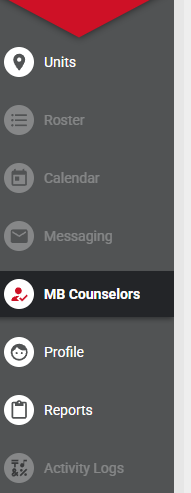
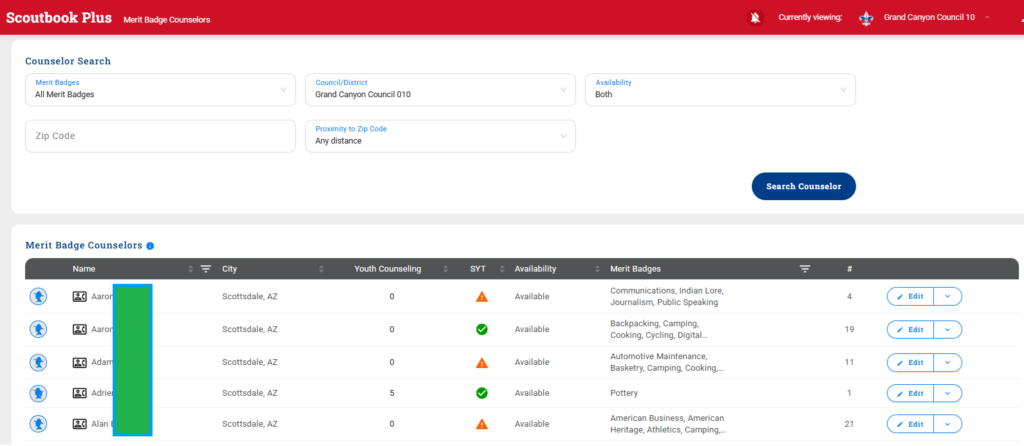
These positions may assign badges to merit badge counselors by searching for the counselor on the MB Counselor search page.
Once located an Edit button will appear on the right that will allow you to add or remove badges assigned to the MBC.
Assignments of merit badges to merit badge counselors are immediate. Removing an assign badge takes up to 24 hours to be reflected in all systems. Changes made in Registrar tools may take up to 24 hours to be reflected in Scoutbook.
Reports
You may obtain a council merit badge counselor report by logging into My.Scouting and clicking on the menu and selecting Roster under your council. Then Select Reports.